LuxKeyb
Dare to write Lëtzebuergesch!
You are not bad at writing Luxembourgish: your keyboard just doesn't know it. Lëtzebuergesch Clavier suggests words as you type, puts in the accents and capitals for you, and writes down what you say to it. Your Luxembourgish words finally stop being underlined in red in your messages.
Free · no ads · nothing you type ever leaves your phone
Try it in your browser first, without installing anything. To use it in your messages, then install the Android app.
The keyboard in action
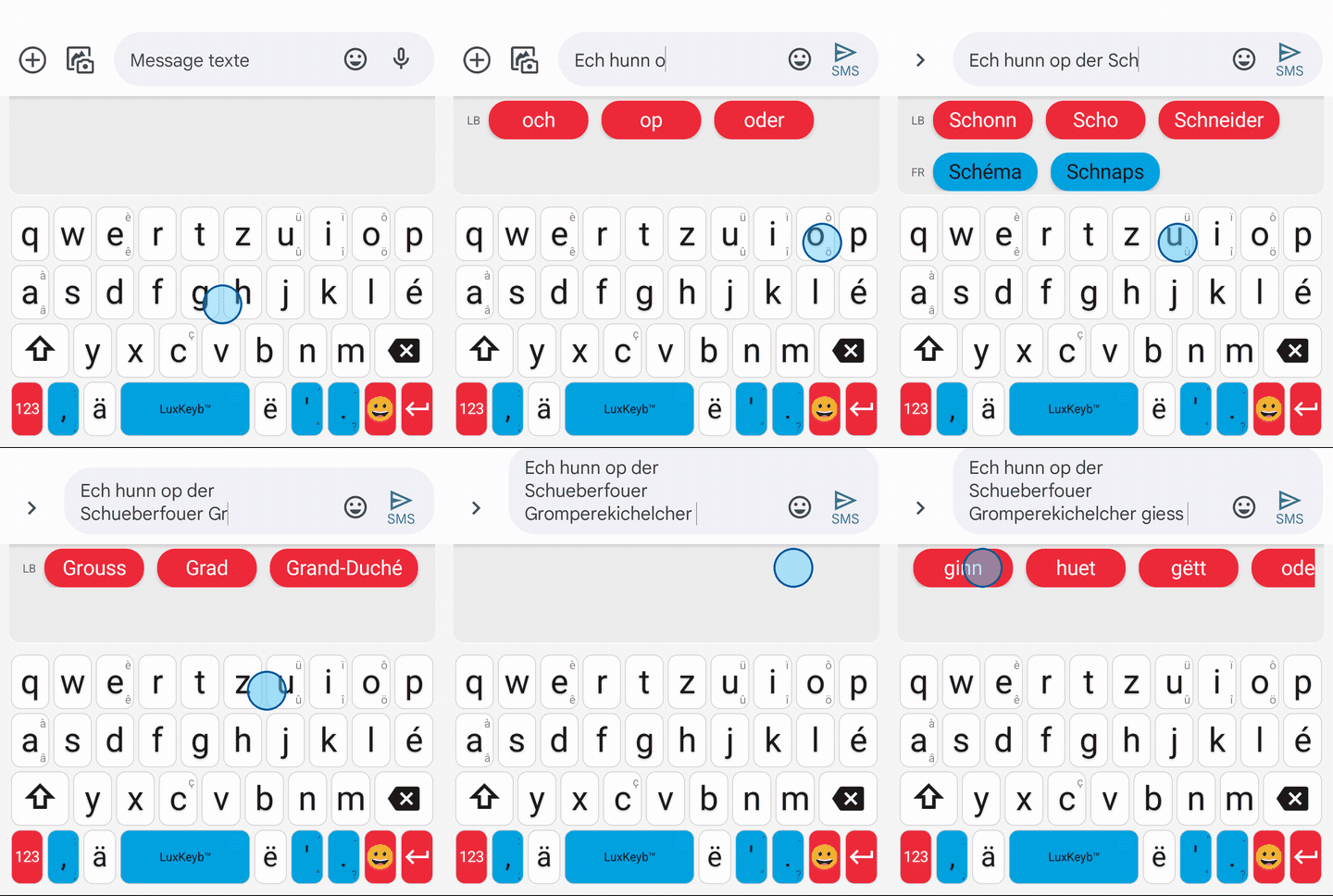
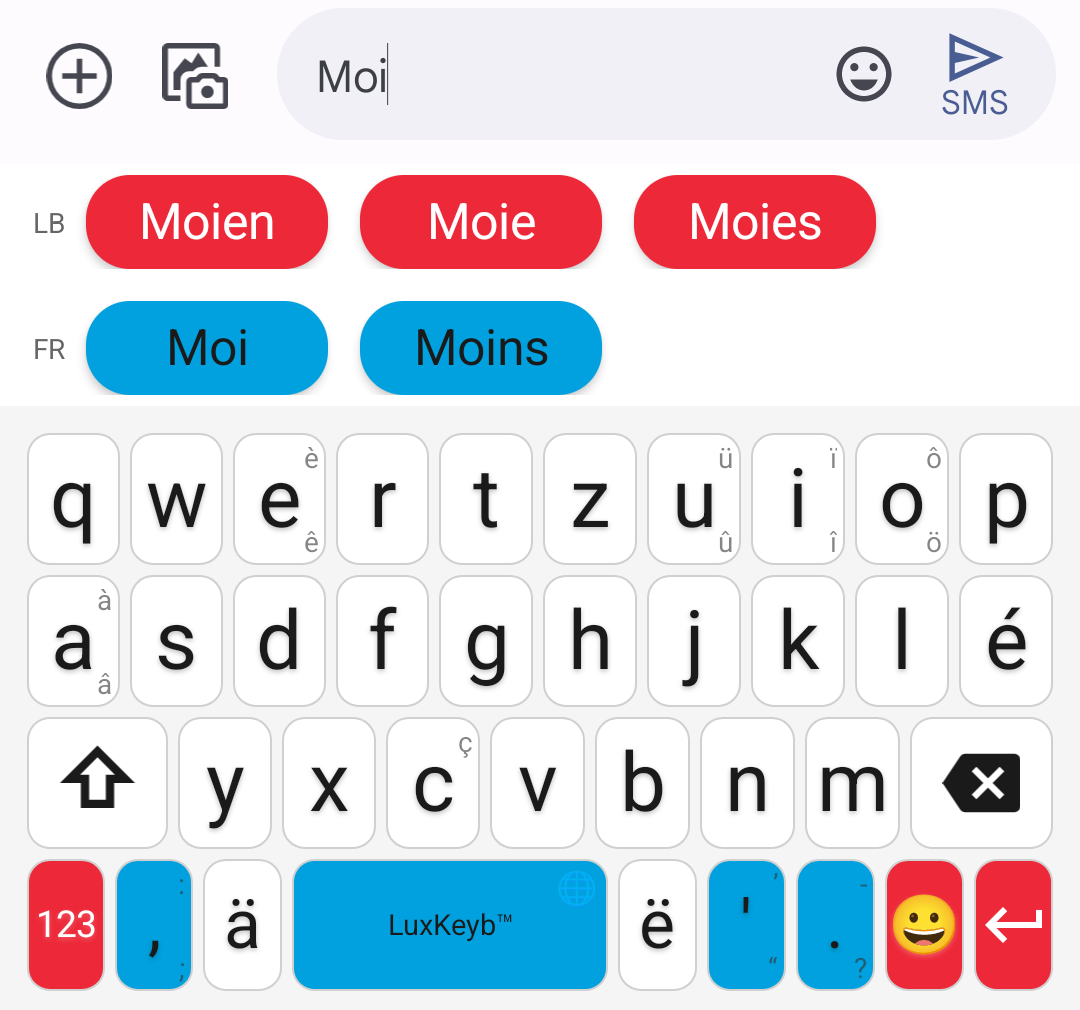
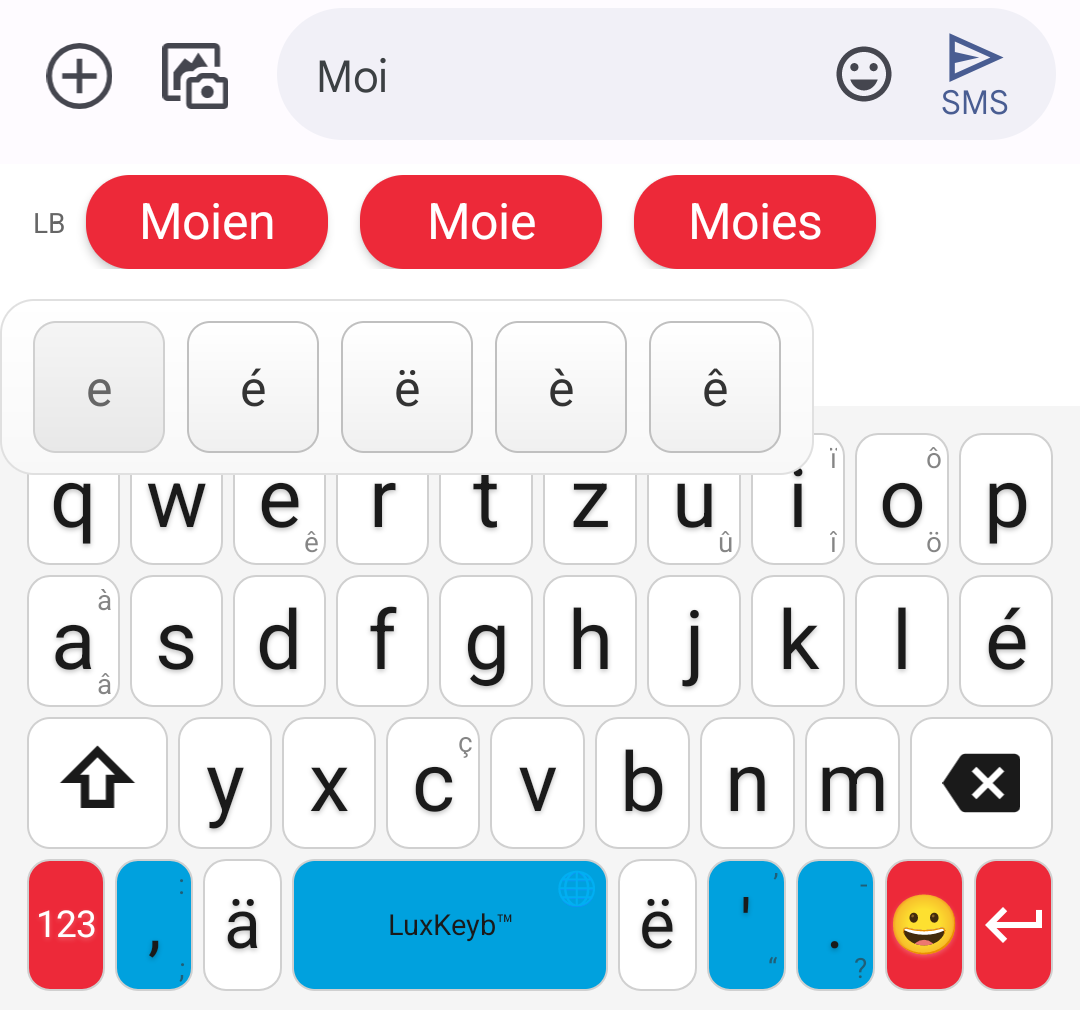
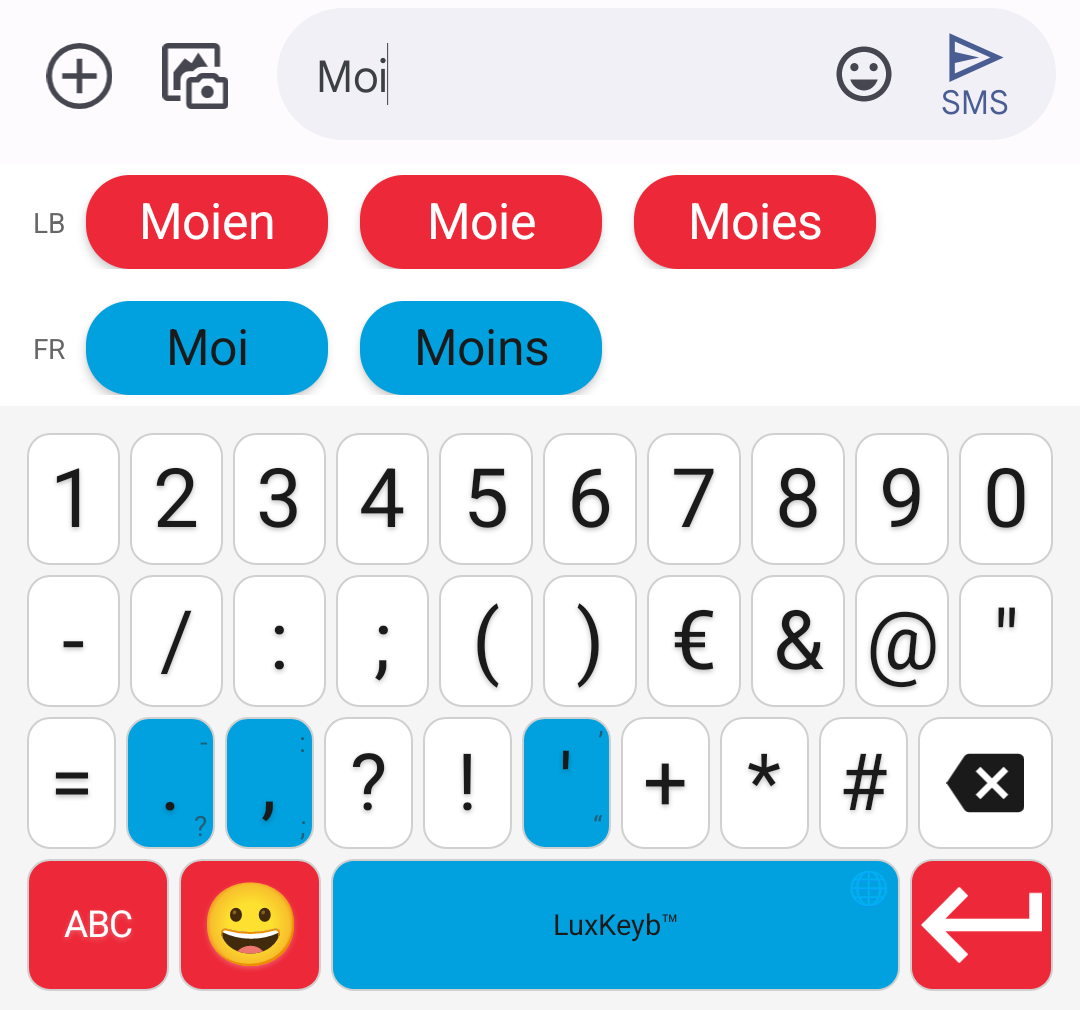
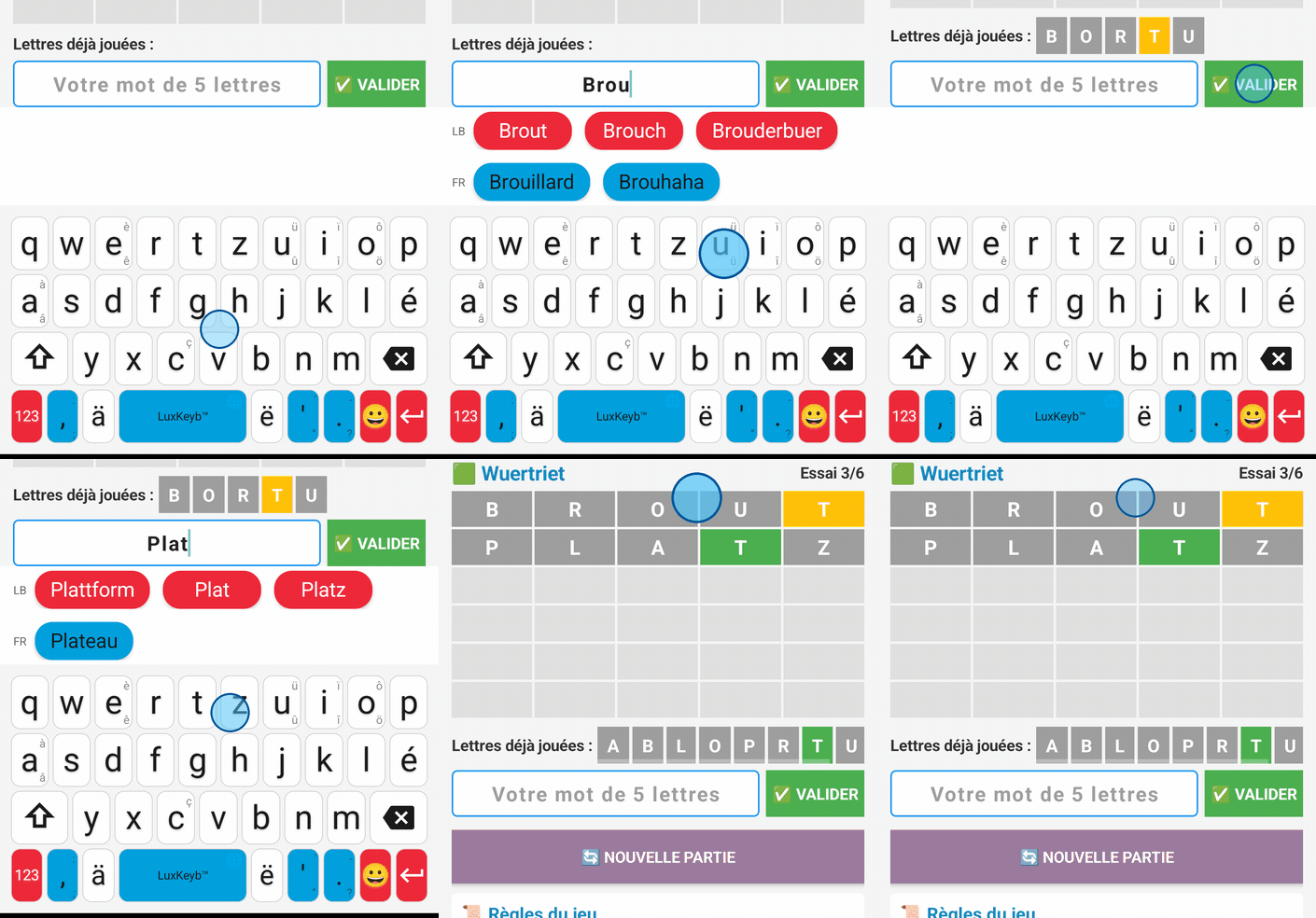
The keyboard wears the three colours of the flag: white for the letters, red for what acts (Enter, mode switch) and sky blue for the space bar and punctuation.
Voice typing 🎙️
Tap the microphone, to the right of the suggestion bar, and speak: the text appears as you talk, with punctuation and capital letters. The microphone closes by itself when you stop.
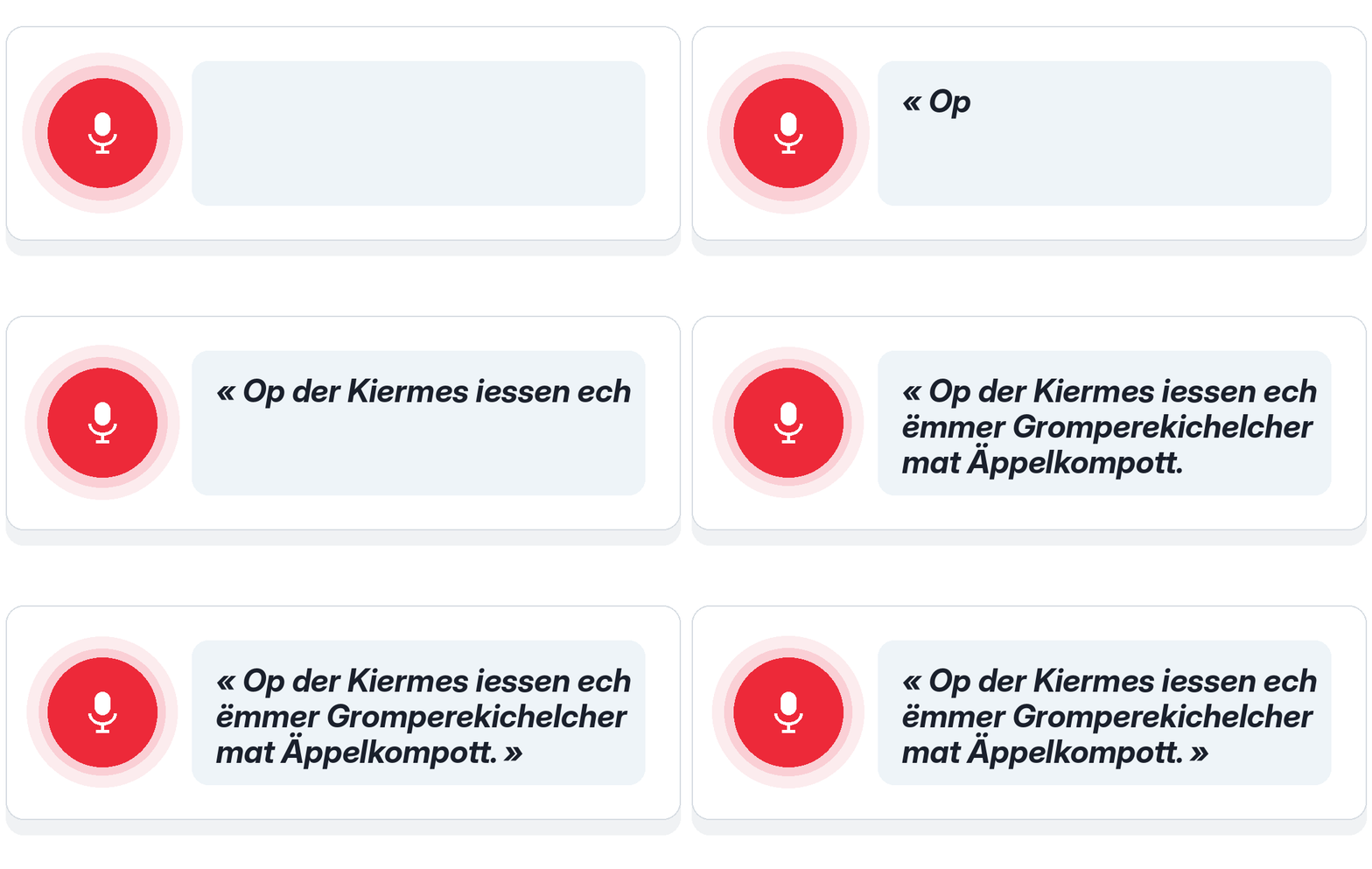
Recognition is provided by LuxASR, the speech recognition service of the University of Luxembourg. So it needs an internet connection:
- your voice is only sent while you dictate, after you tap the microphone, and never from a password field;
- it goes straight to the University, in Luxembourg, which turns it into text without keeping it or using it to train its models;
- with no network, the microphone is shown crossed out; on a network that is too slow, the keyboard tells you instead of letting you talk into the void.
It is not infallible: read it over before sending. The details are in the privacy policy (in French).
What held you back, and what has changed
| 🤔 “My phone corrects my Luxembourgish into German” | Not any more. This keyboard never replaces one word with another: your letters stay yours. And its spell checker, once switched on, stops underlining your words in red in Messages, in your notes and in your messaging apps. |
| 😬 “I'm never sure of the spelling” | The keyboard suggests the forms of the Lëtzebuerger Online Dictionnaire, the language's official dictionary: 123,297 words recognised. You don't make anything up, you choose. |
| 😤 “The ë is hidden in a menu” | Not here. The three diacritics the language rests on, é, ä and ë, each have their own key, and so does the apostrophe of elision (d'Land, s'Kanner). Just type “letzebuergesch”: the keyboard offers “Lëtzebuergesch”. |
| 🤷 “It isn't a written language anyway” | It is: national language since 1984, spelling set by the Zenter fir d'Lëtzebuerger Sprooch, a state dictionary online. This keyboard is built on 186,204 sentences actually written in Luxembourgish, and says which ones (in French). |
The letters follow the QWERTZ layout, the one used on physical keyboards in Luxembourg. The keyboard is free, open source and ad-free, and typing works entirely offline: it runs in the browser to try it, and installs on Android for everyday use.
What it can do
It suggests the words
The keyboard recognises 123,297 forms and 27,746 prediction contexts. After a space, it suggests how your sentence probably goes on, based on the two words you just wrote, not only the last one.
Luxembourgish suggestions come first. To slip French words into your sentences, turn on “French suggestions” in the keyboard settings: a second row, in blue, offers them from the third letter, and “ech hunn eng réunion muer” is written without switching keyboards. The option is off by default, and the French side deliberately sticks to the most common words: it is there for borrowings, not for writing in French.
It forgives typos
A missing letter, an extra letter, a neighbouring key: the suggestions still come. And you can write without diacritics: type “letzebuergesch”, the keyboard offers “Lëtzebuergesch”.
Capitalisation is respected, and the words you use often move up on their own.
It corrects everywhere, not only in the keyboard
A system spell checker comes with it: once switched on, your Luxembourgish words stop being underlined in red in Messages, Notes or your messaging apps.
It helps you progress
The games are not a gimmick next to the keyboard: they give you a reason to keep writing Luxembourgish. Each round brings you a word you would not have looked for, and each word you win goes into a collection that reviews itself.
Every word you use raises your level, from Ufänger to Sproochemeeschter, according to how much of the dictionary you have already used. Seven games complete the journey: Wuertsich (word search), Wuertmix (scrambled words), Wuertriet, where you guess a five-letter word in six tries, Wuertlück, a real Luxembourgish sentence with one word missing, Zuelwuert, where you write out the numbers from 0 to 100, or the result of a sum, in full, Kräizwuert, a crossword with clues in your language, and Wuertplaz, an empty grid and a list of words to fit into it.
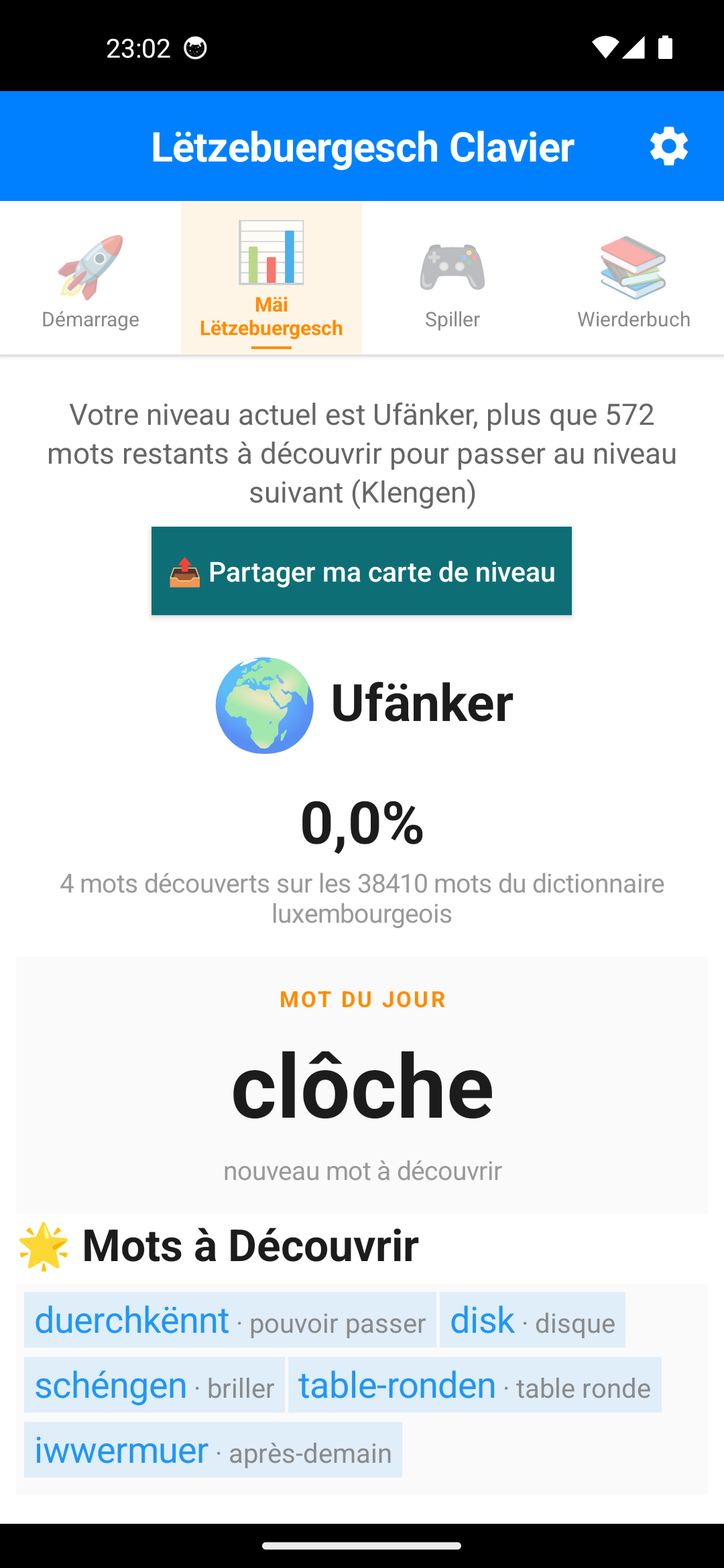
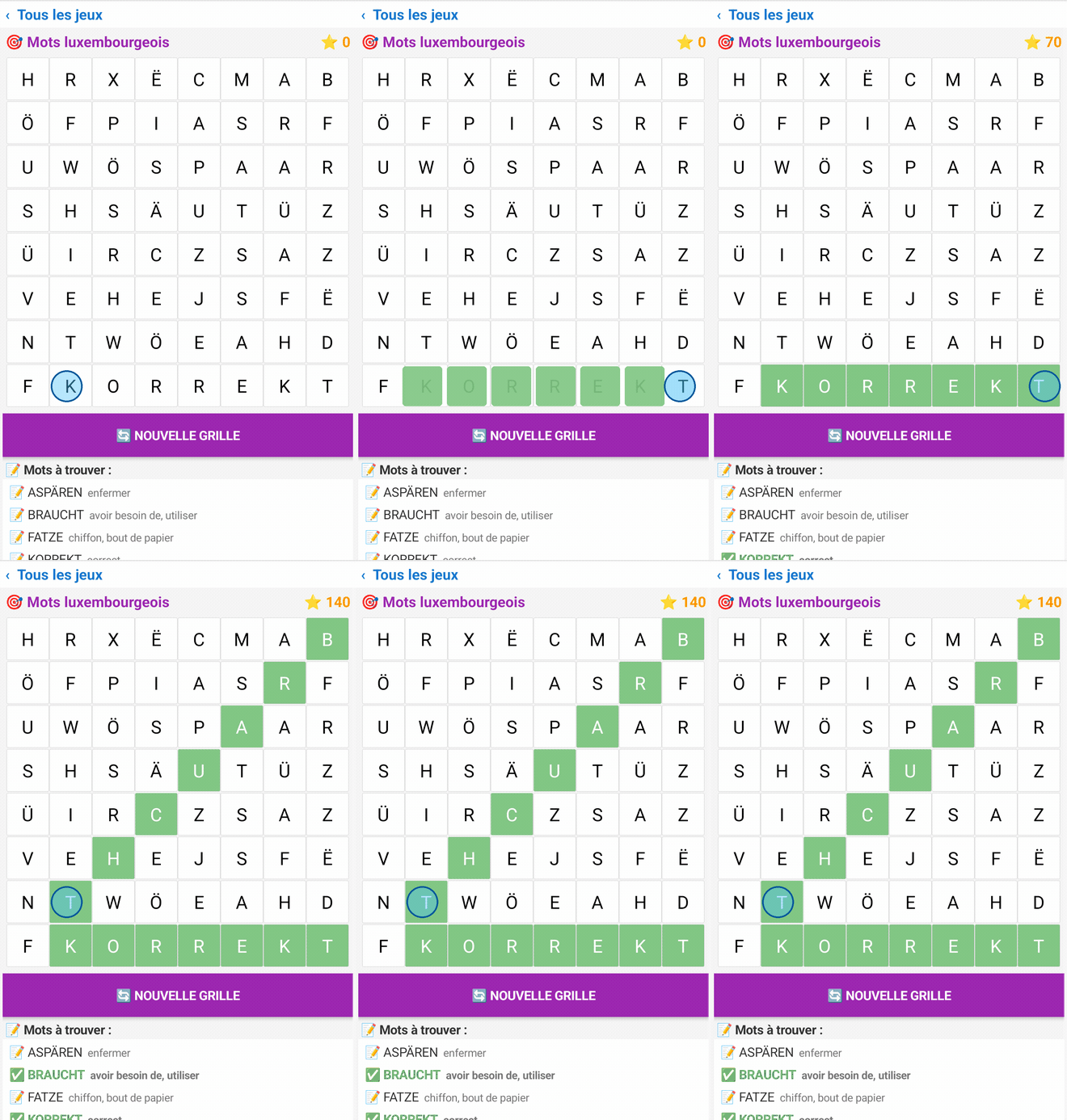
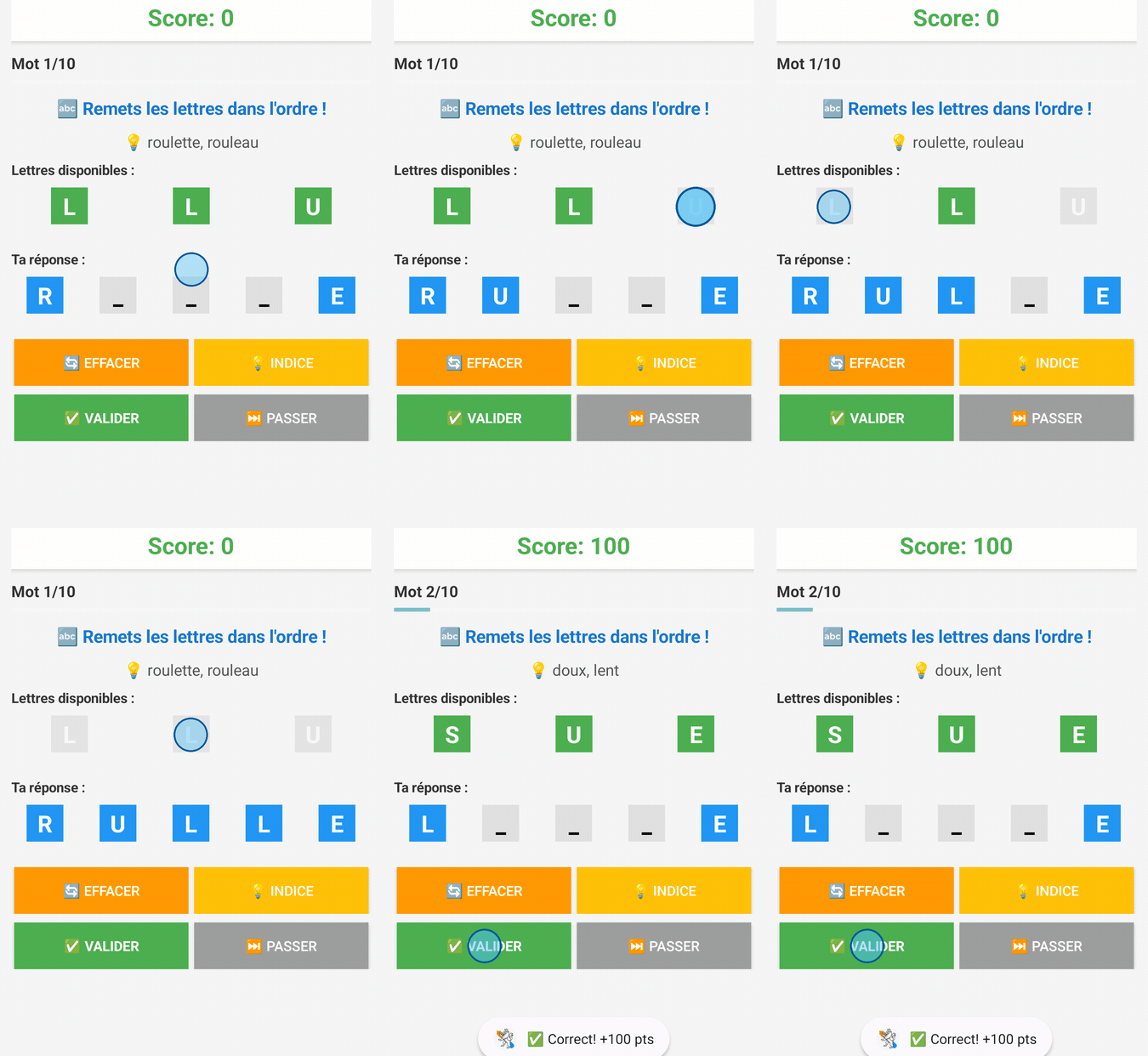
The words you win stay with you
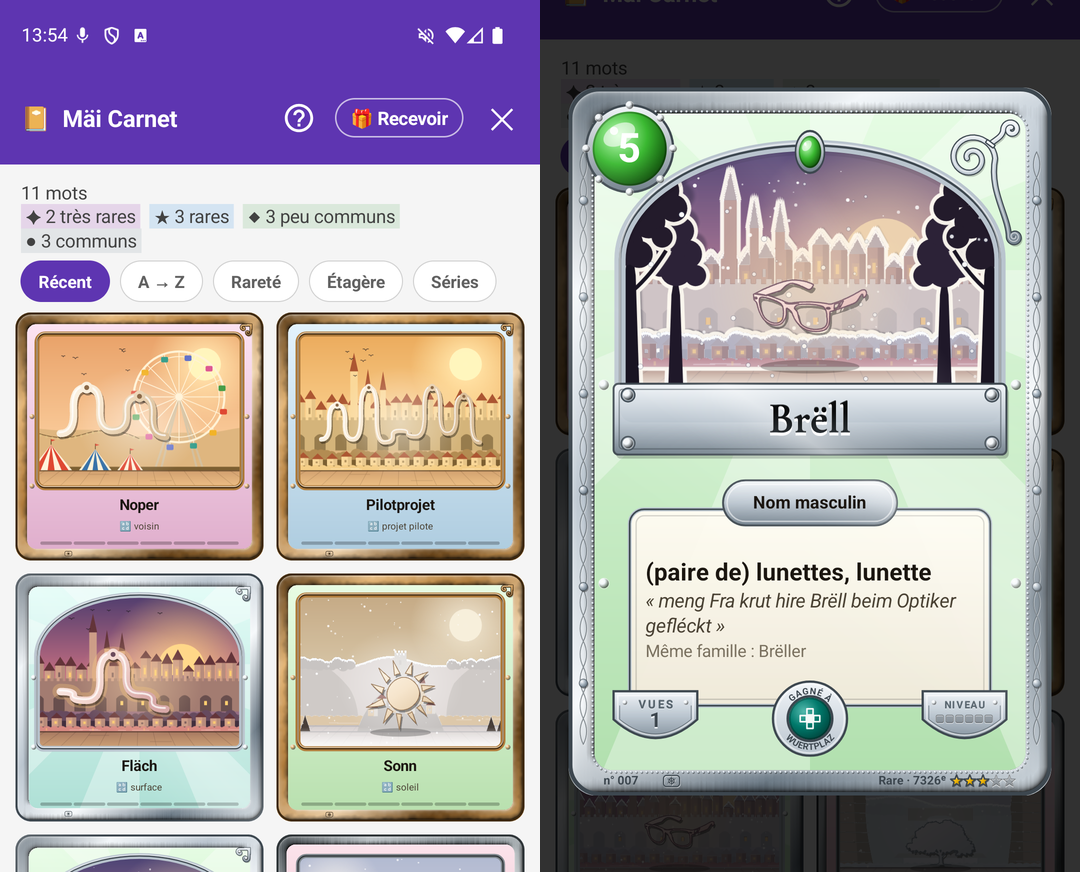
A word found in one of the seven games does not vanish with the round: it becomes a card in Mäi Carnet, handed to you at the end of the game in a pack whose opening grows more spectacular the rarer the card. Each card carries the meaning of the word in your language, an example sentence from the official dictionary, with its translation when the State has published one, the other forms of the same family, and its rarity, that is its real rank in the corpus.
And each card opens a window on the country: the Rout Bréck, Veianen, the Musel, the Schueberfouer… The time of day in the landscape tells the rarity, morning for a common card, a starry night for a very rare one, and the metal of the frame says it again, from pewter to gold. The season is the one of the day you won it: open a winter card and its snow falls, shake the phone and it swirls. A “GELÉIERT” seal marks the words you have learnt, a quill the ones you have written yourself in a message.
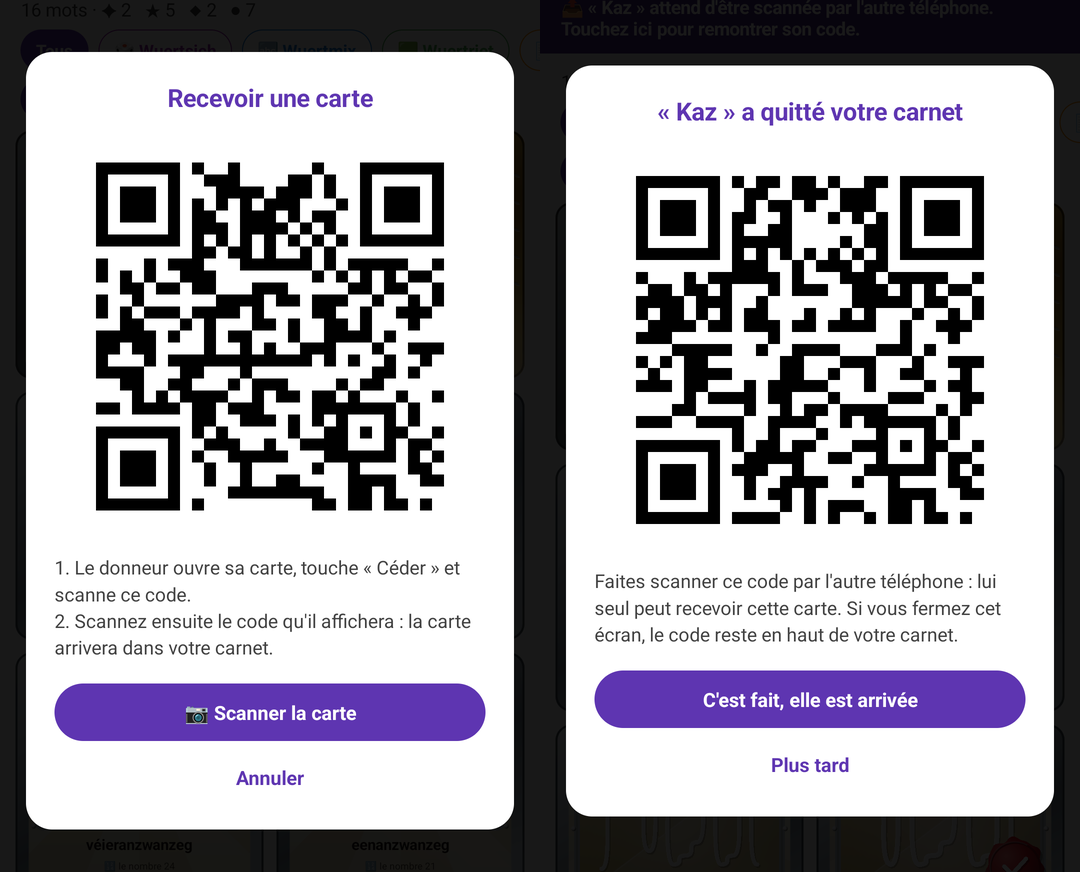
The collection is sorted into series to complete, like an album: the landscapes, the 101 numbers, the illustrations, the seven games. A card can be shared as a picture, or given hand to hand: two phones side by side, two QR codes, and the card leaves your collection for the other one, without going through the Internet and without ever existing twice.
The cards then come back on their own, through the Leitner box: six boxes, one day, three days, a week, two weeks, a month, three months, then the word is learnt and leaves the queue. You flip the card, grade yourself, and it moves up a box, or goes back to the first one if you did not know it.
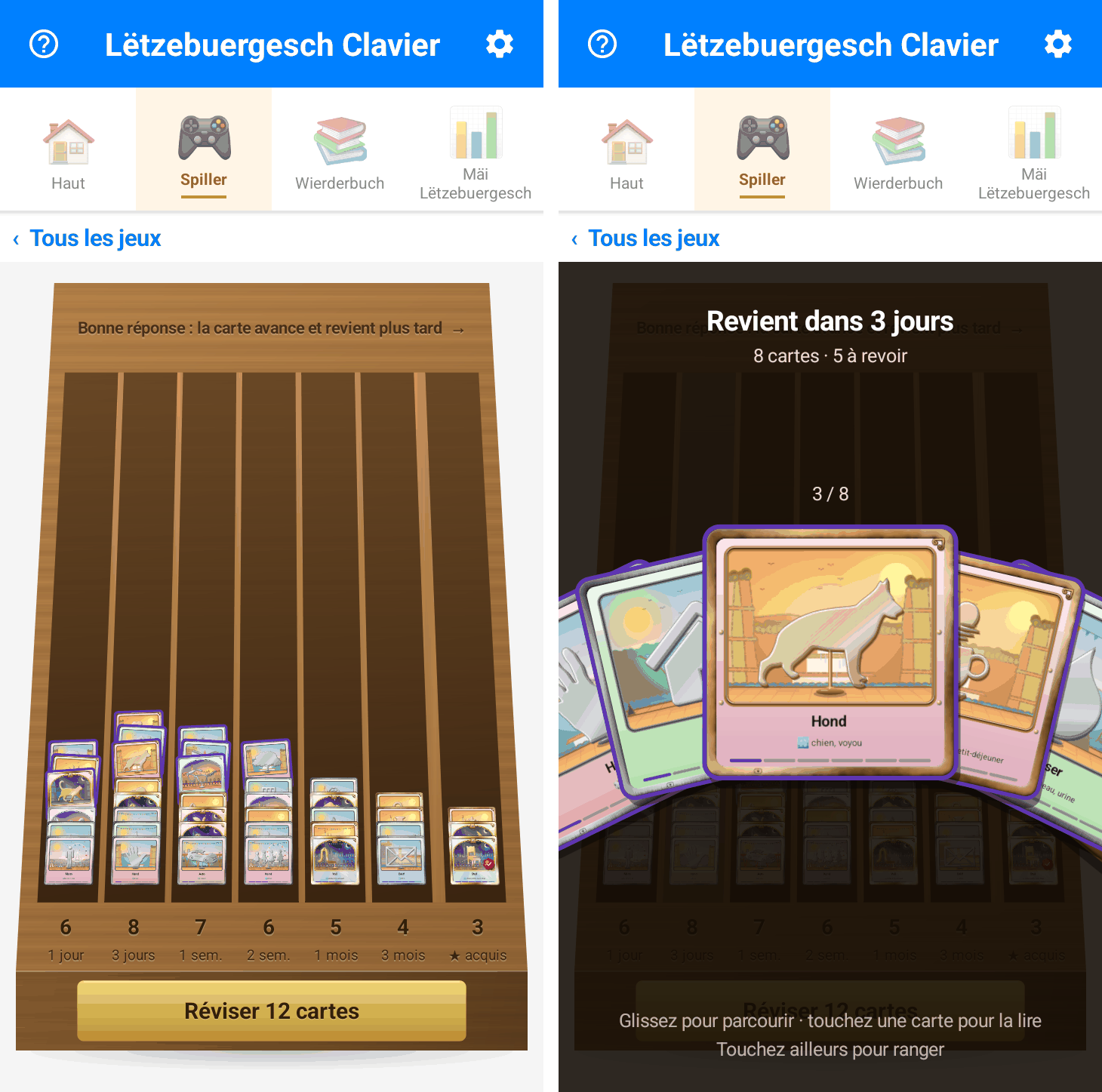
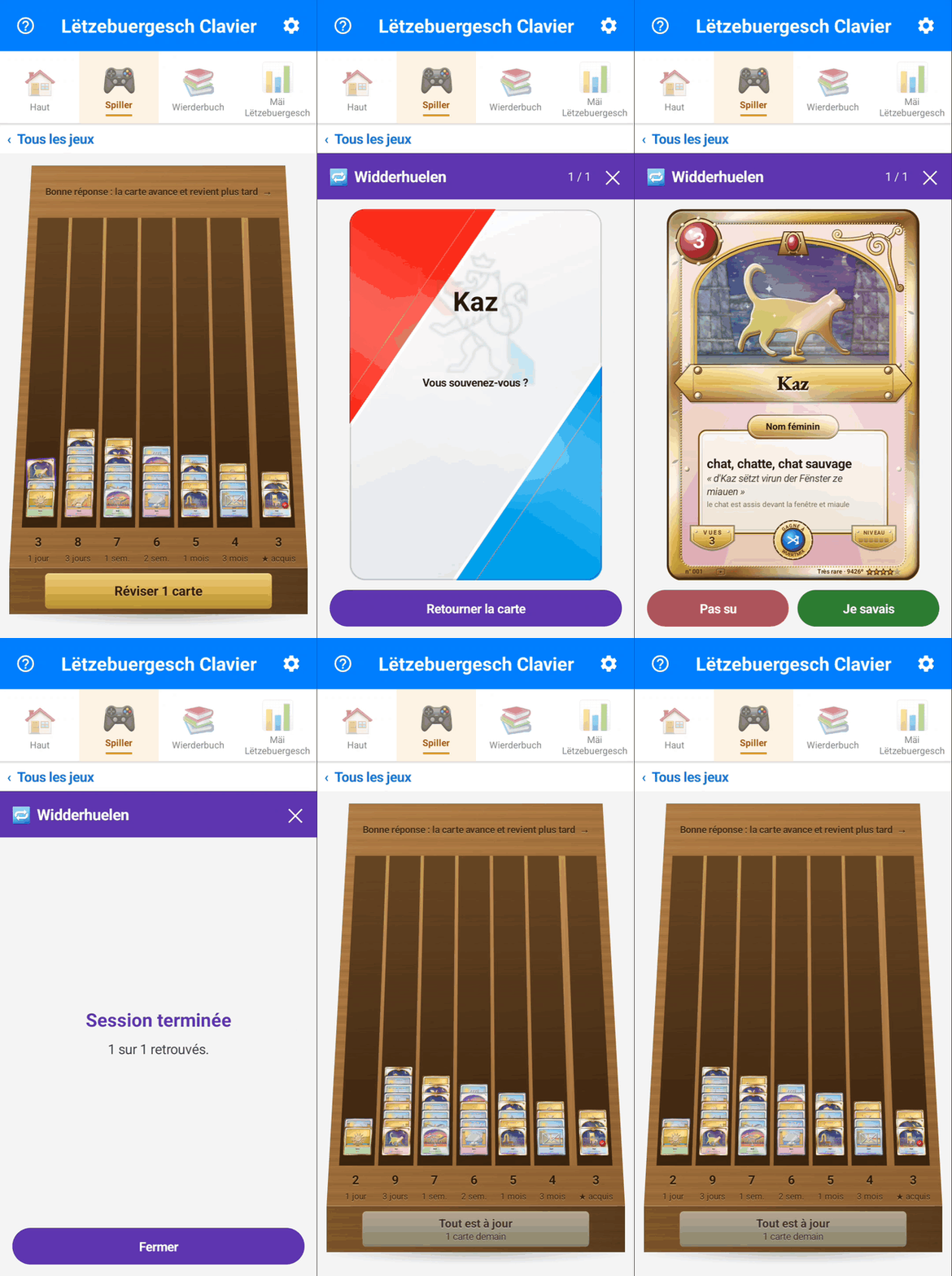
And the keyboard is the exam. If you have written the word again in your messages since the last review, the card moves up a box without you being asked anything: language actually written counts for more than language recited. That count stays on the phone, in a file that not even Android backup takes away.
It knows nothing about you
🔒 What you type does not leave your phone. No account, no server of ours: typing, suggestions, the spell checker and the games all work without a network. There is a single exception, and you can see it: voice typing. When you tap the microphone, your voice goes to the University of Luxembourg, which turns it into text without keeping it; without that tap, nothing is sent. Android backup itself only uploads your settings, vibration, sound and theme, neither your words nor your progress. The code is public and can be checked, and the privacy policy (in French) says so in plain words.
Only words already in the dictionary count towards your progress: a password, a name or a number is not in it, so it is never recorded. The keyboard switches itself off in password fields.
Check it right now, without installing anything
Type a word in this practice keyboard: it is the app’s real dictionary and real suggestions, loaded in your browser. Start with “lëtz”, or with “op der” followed by a space to see the rest of the sentence arrive.
The practice keyboard has its own full page (in French), with the automatic demo and the counter of keystrokes saved.
Install
The app installs from Google Play, like any other: in one tap, with automatic updates.
Android will show a warning when you switch the keyboard on. It appears for every keyboard, without exception, and this one sends nothing of what you type.
Google Play · public release
🎉 Open to everyone since 28 September 2026
The keyboard installs from Google Play like any other app, with no testing programme to join.
- Choice of countries and regions
- Release created
- Release previewed and confirmed
- Release sent to Google for review
-
Published on Google Play
Done: open the Google Play page.
Install without Google Play
It is possible, by installing the file by hand: see how. Android 7.0 or later · about 7 MB · typing never leaves the phone.
Once installed, what happens?
- The app opens and welcomes you.
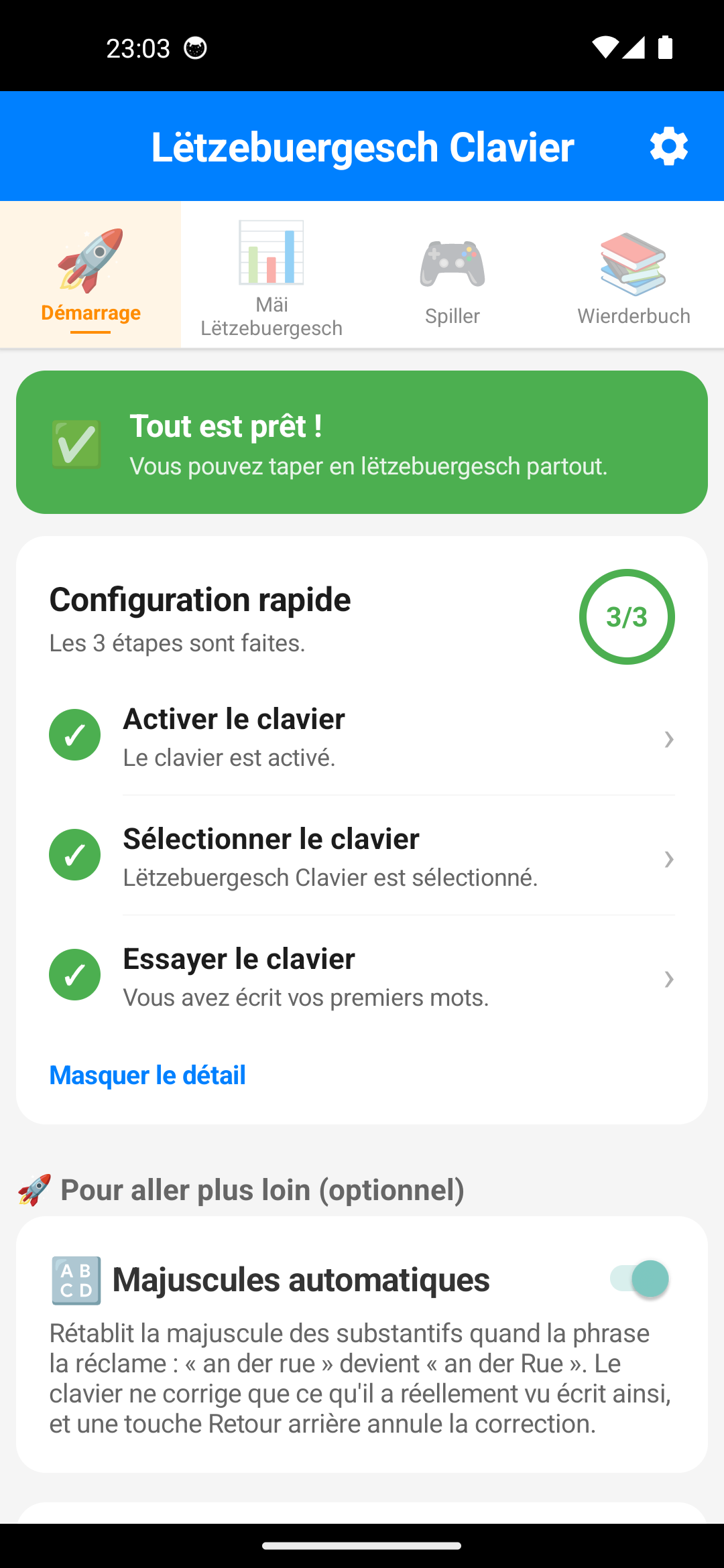
- It guides you step by step to switch the keyboard on, then choose it as your phone’s keyboard. Each step is ticked when it is done.
- You try it on the spot, in a field made for that, before using it in your messages.
The app speaks English, French, German, Portuguese or Luxembourgish: pick yours at the bottom of the Keyboard settings, even if your phone is set to another language.
Compared with other keyboards
Luxembourgish is missing from none of the big keyboards: Gboard, SwiftKey and
the Samsung keyboard all offer it, checked in the apps themselves. But none is
built for it: at Samsung, lb is one of the 691 languages in the
catalogue, served by the generic QWERTZ and with no published dictionary. And
the open source keyboards that accept a Luxembourgish dictionary rely on a word
list frozen since 2013, with no next-word prediction.
| Lëtzebuergesch Clavier | Gboard | Samsung Keyboard | SwiftKey | HeliBoard | AnySoftKeyboard | |
|---|---|---|---|---|---|---|
| Luxembourgish available | Yes | Yes, checked in the app | Yes, checked on the S24 Ultra | Yes, official Microsoft list | Yes, dictionary to add | Yes, separate pack |
| Designed for Luxembourgish | Yes, it is its only reason to exist | One language among 100+ | One language among 691 | One language among 700+ | Dictionary to add | Separate pack to install |
| Layout made for the language | Yes, QWERTZ with é ä ë as full keys |
Yes, é ä ë as full keys |
No, generic QWERTZ | — | — | — |
| Luxembourgish dictionary | 123,297 forms, 2026 corpus + LOD | Not disclosed | Not disclosed | Not disclosed | 71,255 words, frozen in 2013 | Not disclosed |
| Next-word prediction | Yes, 27,746 contexts | Yes | Yes | Yes | No, in Luxembourgish | Basic |
| Prediction measured on a Galaxy A21s | 20.2% of words right in the top 3 | 13.4% | 17.7% | — | — | — |
| Two languages with no setup | Yes, two rows LB and FR at once |
Up to 3 languages, to enable | Several languages, to enable | Up to 5 languages, to enable | 1 secondary language, to enable | — |
| Forgives typos | Yes | Yes | Yes | Yes | Yes | Yes |
| Writing without diacritics | Yes | — | — | — | — | — |
| System spell checker (lb) | Yes | Yes | In the keyboard | — | No | No |
| Internet access | For dictation only, typing stays on the phone | Yes | Yes | Yes | No | No |
| Open source | Yes, MIT | No | No | No | Yes | Yes |
| Games and progress | Yes, 7 games, 8 levels | No | No | No | No | No |
| Swipe typing | No | Yes | Yes | Yes | Library to add | Gestures |
| Luxembourgish voice typing | Yes, by LuxASR (University of Luxembourg), with a connection | No | No | No | No | No |
| Dark theme | Yes | Yes | Yes | Yes | Yes | Yes |
“—”: not checked. Figures collected in August 2026; Samsung
column collected in September 2026 from the language catalogue of the Samsung
Keyboard shipped on the Galaxy S24 Ultra (One UI 7, build
S928BXXS4BYEC); the Luxembourgish dictionary of the open source
keyboards comes from the
AOSP dictionaries repository.
The “prediction measured” row comes from typing benchmarks on a Galaxy A21s
(our keyboard and Samsung on 8 September 2026, Gboard 18.2.4 on the 20th): 322
word boundaries in sentences from the ZLS corpus, where the next word must
appear among the three suggestions shown before a single one of its letters has
been typed. The gap with the Samsung Keyboard is not statistically significant:
on pure prediction the two are level, and Gboard does worse than both. Method,
raw data and limits in
the comparison (in French).
Apple’s keyboard is not in this table because it does not offer Luxembourgish yet: see the detailed comparison with Gboard and Apple (in French).
What it does not do yet. No swipe typing, no dictation without a connection, and no German dictionary alongside the French one. These gaps are real and known; they are at the top of the to-do list.
Where the suggestions come from
The dictionary and the n-grams are generated from two open datasets: LuxAlign, 180,342 press sentences that bring the vocabulary, and LETZ, the example sentences of the Lëtzebuerger Online Dictionnaire, the only source of the everyday register.
The pipeline runs again with every release, so the suggestions follow how the language is really used rather than a frozen list. Details of the corpora, measurements and citations are on the corpus page (in French).
Install without Google Play
If you would rather not go through Google Play, the installation file (the “APK”) can be installed by hand.
- Download the file with the button or the QR code above: either way the download starts straight away. Every version stays listed on the releases page.
- Allow installation from this source, if Android asks.
- Open the app: it guides you as described above.
Here too, Android shows a generic warning, displayed for every keyboard, about possibly capturing what you type. It is normal, and the app’s guide, at the bottom of the Haut tab, explains why this one cannot send anything anywhere.
Contribute
The code is on GitHub under the MIT licence.
A word missing, a suggestion off the mark, a key in the way? Open an issue or use the feedback form. The dictionary improves above all thanks to these reports.
Further reading
🎁 What’s new · 🔬 Labs · 📣 Ambassadors (FR) · 🖨️ Posters and flyers (FR) · 🔒 Privacy (FR) · 💬 Write to us · 💻 GitHub
Android and Google Play are trademarks of Google LLC; this app is neither published nor endorsed by Google.
Mir wëlle bleiwe wat mir sinn.
“We want to remain what we are.”
That is what you join by installing it.
Made in Luxembourg with ❤️